Our Short List of 3
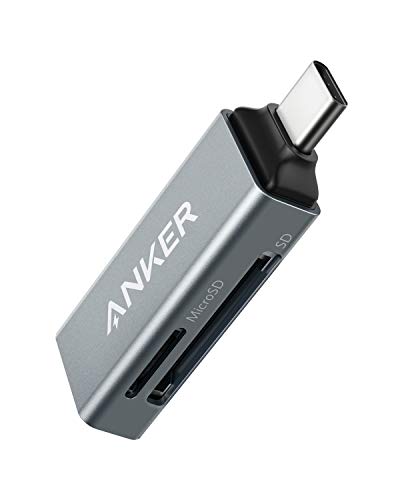
- Best for: Laptop owners who carry both full-size SD and MicroSD cards.
- USB-C connection with dual slots
- Supports SDXC, SDHC, SD, Micro SDXC, MicroSD, and Micro SDHC cards
- UHS-I cards stated in the listing title
- Listed for iPhone and laptops

- Best for: PC and MacBook owners who want one compact reader for a shared desk.
- USB-C connection with USB 3.0 wording
- 2-in-1 memory card reader form
- Supports MicroSD, SDHC, and SDXC cards
- Listed for PC, computer, MacBook, laptop, and iPad
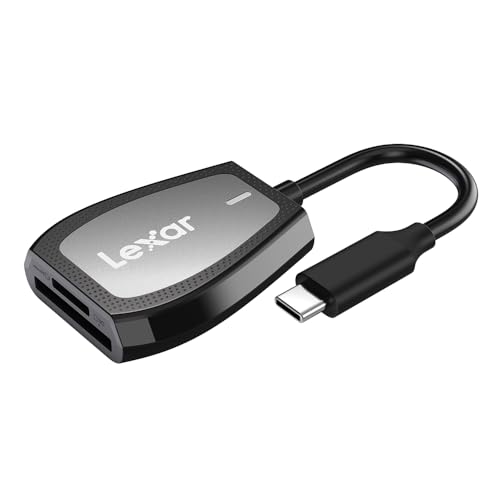
- Best for: USB-C computer owners who want a stated speed figure and an activity light.
- USB-C connection with dual slots
- Up to 312MB/s read as stated in the listing title
- LED activity indicator
- UHS-I backwards compatibility stated in the listing title
All 3 Picks at a Glance
| Product | Specs | Action |
|---|---|---|
| Anker SD Card Reader USB C, Dual Slots |
| Check price on Amazon |
| UGREEN SD Card Reader USB C, 2 in 1 |
| Check price on Amazon |
| Lexar Dual-Slot SD and Micro SD Card Reader |
| Check price on Amazon |
Key takeaways
- Compare five SD card readers for computers, from dual-slot USB-C models to a compact Lexar reader, and match slots, formats, and connection to your setup.
A card reader moves photos and files from a memory card to a computer without a cable tethered to the camera, and the right one is the one whose connector fits your machine and whose slots fit your cards. Every reader below states card-reader form, computer wording, and brand in its own listing title, so each pick is matched to the listing itself rather than to a roundup heading. Look first at the connector and the card formats, and the rest of the choice gets much simpler.
Four of the five readers also appear in earlier roundups on other sites, which is stated openly here rather than hidden, and every ASIN below carries a warning mark because it was matched indirectly from product cards and needs re-checking against the live listing before you buy. Two of the picks were matched in two separate roundups and three in one, and all five accept SD or MicroSD cards as their listing titles describe.
Quick Picks
As an Amazon Associate we earn from qualifying purchases
| Product | Best for | Key Spec |
|---|---|---|
| Anker USB-C Dual-Slot Card Reader | Laptops and iPhones | Dual slots, UHS-I |
| Acer USB-C Dual-Slot Card Reader | MacBook and laptop use | Dual slots, aluminum |
| BnmxTek USB-C SD Card Reader | Mac and Android devices | SD and MicroSD, USB-C |
| UGREEN USB-C 2-in-1 Card Reader | PC and MacBook use | 2-in-1, USB 3.0 |
| Lexar Dual-Slot USB-C Card Reader | USB-C computers | Up to 312MB/s read, LED indicator |
How to Choose
Match the Connector to Your Computer
The connector decides whether the reader plugs straight in or needs something extra, so check the port on your own machine first. The readers in this roundup use USB-C, which fits current laptops, MacBooks, and many tablets, while older machines may only offer the larger USB-A port. A USB-C reader on a USB-A-only computer still needs an adapter, and that adapter is a separate purchase. Read the connector wording in the listing title itself, because a reader described only as a USB reader may use either connector. If your computer has both port types, USB-C is the more future-proof choice. Match the plug first, and the rest of the decision stays simple.
Check Which Card Formats the Slots Accept
SD cards come in full-size and MicroSD sizes, and the two are not interchangeable, so confirm the formats in the listing title before you buy. Full-size SD, SDHC, and SDXC cards share one physical shape, while MicroSD, Micro SDHC, and Micro SDXC cards share a smaller one, and a slot built for one size does not accept the other. Several readers in this roundup state both sizes, which suits photographers who carry a camera card and a drone or action-camera card. If you only ever use one size, a single-format reader is fine, but a dual-format reader removes the guesswork when a second device joins. Count the formats, not just the slots.
Decide How Many Slots You Need
Slot count decides whether you can read two cards without swapping, and the answer depends on how you work rather than on one specification. A dual-slot reader holds a full-size SD card and a MicroSD card, which suits anyone moving files from a camera and a second device. A 2-in-1 reader does similar work in a smaller body, combining two card formats in one compact unit that travels well in a camera bag. Single-slot readers are simpler and often smaller, but they force a card swap every time the format changes, which gets tedious. Think about the devices you actually carry, then choose the slot count that matches them.
Read the Speed Wording Carefully
Speed wording on a reader listing describes a ceiling, not a promise, so read the qualifier attached to every figure. A figure introduced by “up to” states the fastest read speed the maker claims under ideal conditions, and real transfers run slower when cards and ports differ. UHS-I is a speed class label that appears on cards and readers, and a reader that states UHS-I backwards compatibility accepts UHS-I cards while still working with older ones. USB 3.0 in a listing title describes the connection generation, not a guaranteed rate. Compare the stated figures across readers, but treat them as guidance for choosing, not as measured results for your own files.
The 5 Best Options
Anker SD Card Reader USB C, Dual Slots
- Best for: Laptop owners who carry both full-size SD and MicroSD cards.
- USB-C connection with dual slots
- Supports SDXC, SDHC, SD, Micro SDXC, MicroSD, and Micro SDHC cards
- UHS-I cards stated in the listing title
- Listed for iPhone and laptops
Laptop owners who carry both full-size SD and MicroSD cards.
The listing title states iPhone and laptop use, so check your own port type before buying.
The Anker reader is a dual-slot USB-C unit that lists SDXC, SDHC, SD, Micro SDXC, MicroSD, and Micro SDHC formats with UHS-I support, which covers the cards most photographers carry. Its listing title places it for iPhone and laptops, so it suits a laptop and phone sharing one connector. Two slots mean a full-size card and a MicroSD card each have a home, and the UHS-I wording signals compatibility with the common speed class. It is a straightforward pick for anyone who wants one reader for both card sizes without extra parts.
Acer SD Card Reader USB C, Dual Slots
The Acer reader pairs dual slots with an aluminum body and lists MicroSD, SDHC, and SDXC support, which makes it a tidy match for a MacBook or laptop bag for daily carry. Its listing title states compatibility with MacBook Pro and Air models, iPad, and laptop computers, so the computer wording is explicit rather than implied. The aluminum wording suggests a metal shell rather than a plastic one, which matters to anyone who tosses a reader into a bag with cables. With two slots and three stated formats, it handles the cards from a camera and a smaller device in a single unit.
Specs
- USB-C connection with dual slots
- Aluminum body as stated in the listing title
- Supports MicroSD, SDHC, and SDXC cards
- Listed for MacBook Pro/Air, iPad, and laptop computers
Best for: MacBook and laptop owners who want a metal-bodied reader for daily carry.
Watch out for: The listing title names Apple devices and laptops, so confirm your own machine is among them.
ASIN: ⚠ B0F1G1TNDS
BnmxTek USB C to SD Card Reader
The BnmxTek reader is a USB-C unit that lists SD and MicroSD support with USB 3 ports wording, and its title names Mac, MacBook Pro and Air, iPad, and Android devices, the widest stated device range here. That breadth suits a household or a small team where Apple and Android devices share one desk. The SD and MicroSD wording covers both card sizes, so camera cards and smaller device cards each have a slot. It is a practical choice when the reader must move between different machines rather than staying on one machine.
Specs
- USB-C connection for SD card reading
- Supports SD and MicroSD cards
- USB 3 ports wording in the listing title
- Listed for Mac, MacBook Pro/Air, iPad, and Android devices
Best for: Mixed-device households where Apple and Android machines share one reader.
Watch out for: The listing title groups many devices together, so confirm the exact wording covers your own machine.
ASIN: ⚠ B0CD7BM8YJ
UGREEN SD Card Reader USB C, 2 in 1
- Best for: PC and MacBook owners who want one compact reader for a shared desk.
- USB-C connection with USB 3.0 wording
- 2-in-1 memory card reader form
- Supports MicroSD, SDHC, and SDXC cards
- Listed for PC, computer, MacBook, laptop, and iPad
PC and MacBook owners who want one compact reader for a shared desk.
The 2-in-1 form covers two formats, so check that both match the cards you own.
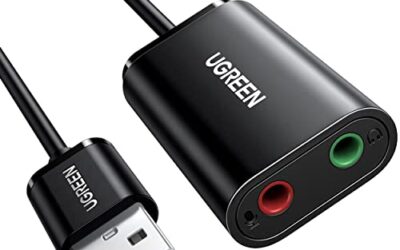
The UGREEN reader is a 2-in-1 USB-C unit with USB 3.0 wording that lists MicroSD, SDHC, and SDXC support and names PC, computer, MacBook, laptop, and iPad use in its title. That explicit computer wording makes it a clear match for a Windows PC or a MacBook, since both are named. The 2-in-1 form combines two card formats in one compact reader, which keeps the kit small for travel. It is a strong fit for a desk where the reader stays plugged in and serves more than one machine.
Lexar Dual-Slot SD and Micro SD Card Reader
- Best for: USB-C computer owners who want a stated speed figure and an activity light.
- USB-C connection with dual slots
- Up to 312MB/s read as stated in the listing title
- LED activity indicator
- UHS-I backwards compatibility stated in the listing title
USB-C computer owners who want a stated speed figure and an activity light.
The read figure is an “up to” figure, so real speeds vary with the card and the port.
The Lexar reader is a compact dual-slot USB-C unit whose title states an up-to-312MB/s read figure, an LED activity indicator, and UHS-I backwards compatibility, the most detailed speed wording here. Its title states that it works with USB-C computers, and the LED indicator shows when a transfer is running. The dual slots cover SD and Micro SD cards, and the compact wording suits a reader that lives in a camera bag pocket. It is the pick for anyone who values a stated speed figure and a visible activity light in a small body.
Which One Fits Your Situation
Moving Camera Photos to a Laptop After a Shoot
A dual-slot reader earns its place when the shoot ends and the cards need emptying fast, because both card sizes can be read without a second adapter. Look for a listing that names laptop use and both SD and MicroSD formats, then match the connector to the laptop port. A compact body helps here too, since the reader often travels in the same bag as the camera. Keep the cards cased until transfer time, and the workflow stays simple.
Sharing One Reader Between a MacBook and a Windows PC
A shared desk needs a reader whose listing names both sides, so the same unit can move between machines without surprises. USB-C covers current MacBooks and many Windows laptops, and a title that states PC, MacBook, and laptop use removes the guesswork. Dual slots help when the two machines handle different card sizes, and a cable-free body keeps the desk tidy. Check the port on each machine once, and one reader can serve the whole desk.
Reading Drone or Action-Camera MicroSD Cards
Small devices write to MicroSD cards, and a reader that only accepts full-size SD cards leaves those files stranded. Choose a reader whose title states MicroSD support explicitly, and prefer a dual-slot model when a camera card is also in the kit. The compact readers in this roundup travel well in a drone bag, and USB-C matches most pilots’ laptops. Confirm the MicroSD wording in the listing title, and the transfer works the first time.
Keeping a Compact Reader in a Camera Bag
A reader that lives in a camera bag must be small, tough enough for daily carry, and simple to plug in. Compact wording in the listing title is a useful signal, and an aluminum body adds reassurance in a pocket shared with cables. Dual slots still matter in a small body, because one reader should cover both card sizes. Pick the smallest reader that still states both formats, and it will stay in the bag.
Common Mistakes
- Buying a USB-C reader for a computer that only has USB-A ports without checking the port first.
- Assuming every reader accepts both full-size SD and MicroSD cards when the listing states only one size.
- Reading an “up to” speed figure as the speed every transfer will reach.
- Assuming UHS-II support when the listing title states only UHS-I wording.
- Forcing a card into a slot instead of checking the card size and the slot shape first.
Frequently Asked Questions
Will a USB-C card reader work on an older computer?
A USB-C reader needs a USB-C port on the computer, so a machine with only USB-A ports will not accept the plug. Check your own ports before buying, and read the connector wording in the listing title. An adapter can bridge the two port types, but it is a separate item unless the listing states otherwise. When the port matches, the reader works the same on any machine.
Can one reader handle both SD and MicroSD cards?
Only readers whose listing titles state both formats handle both card sizes, and several picks here do exactly that. The two sizes differ physically, so a slot built for one does not accept the other. Dual-slot and 2-in-1 readers state both sizes in their titles, which is the wording to look for. If a listing names one size, the other needs a different reader or an adapter.
What does UHS-I mean on a card reader?
UHS-I is a speed class label on memory cards and readers, describing a generation of card interface, not a single speed figure. A reader stating UHS-I backwards compatibility accepts UHS-I cards and still works with older cards, as the Lexar pick states. A listing stating only UHS-I should not be read as supporting newer classes. Match the class wording on the reader to the wording on your cards.
Do I still need a reader if my laptop has a built-in slot?
A built-in slot covers the card size it was made for, but it may not accept the second size, and some laptops have none. An external reader adds the missing format and moves between machines. It keeps working when you switch laptops; a built-in slot stays with the old machine. If your laptop slot already covers every card you own, a reader is a convenience rather than a necessity.